Unleash your server
development.
A TypeScript server framework with decorators and dependency injection, as fast as a bare router. Runs on Node.js, Bun and Deno.
$ pnpm create vercube my-app
ℹWelcome to Vercube!
◇Template › api
◇Modules › schema, testing, devtools
◇Deploy target › node
◒Applying recipes, installing dependencies…
✔Created my-app from the api template
Modules: schema, testing, devtools
Next: cd my-app && pnpm dev
$
Runs on the web's own Request and Response, so it runs wherever they do.
01 Controllers
Write a class.
Get a route.
A controller is a class and a route is a decorated method. Arguments arrive parsed, and validated when you hand them a schema: a body that does not fit never reaches your code.
@Controller('/users')
export class UserController {
  @Inject(UserService)
  private readonly users!: UserService;

  @Get('/:id')
  public get(@Param('id') id: string) {
    return this.users.find(id);
  }

  @Post('/')
  public create(@Body({ validationSchema: User }) body: User) {
    return this.users.create(body);
  }
}
GET/users/42200
{ "id": 42, "name": "Ada" }
- GET/users/423ms200
- DELETE/users/421ms404
- GET/users/422ms200
- POST/users1ms400
- GET/users/72ms200
02 Dependency injection
Bind once.
Inject anywhere.
Services are classes the container builds for you. Bind a key to an implementation in one place, ask for it with @Inject, and swap it for a mock in a test without touching the code that uses it.
- One place for wiring src/boot/Container.ts decides what every key resolves to.
- Mocks without ceremony bindMock takes only the methods your test calls.
- Seen before it throws Devtools marks an @Inject that nothing binds.
import type { Container } from '@vercube/di';
import { Database, PostgresDatabase } from '../services/Database';
import { ConsoleLogger, Logger } from '../services/Logger';
import { UserService } from '../services/UserService';

export function useContainer(container: Container): void {
  container.bind(Database, PostgresDatabase);
  container.bind(Logger, ConsoleLogger);
  container.bind(UserService);
}
bindings
- Database→PostgresDatabase
- Logger→ConsoleLogger
- UserService→UserService
trace
- container.get(UserService)
- new UserService()cached
- @Inject(Database)
- new PostgresDatabase()new
- @Inject(Logger)
- new ConsoleLogger()new
- properties filledready
- container.get(UserService)
- same instancesingleton
03 Project generator · new in 1.5
One command.
The project you meant.
create-vercube pins every @vercube package, applies a recipe per module and per deploy target, and adds the services they need to docker-compose. Edit the command below and watch the project change.
$
- ℹWelcome to Vercube!
- ◇Template › api
- ◇Modules › schema, devtools, testing
- ◇Deploy target › node
- +Schema SchemaPlugin, docs at /_schema/docs
- +Devtools DevtoolsPlugin at /_devtools
- +Testing vitest and @vercube/testing
- ✔Created my-app from the api template
- Modules: schema, devtools, testing
- Next: cd my-app && pnpm dev
$
- src
- boot
- Container.ts
- controller
- GreetingController.tsschema
- FooController.tstesting
- index.ts
- test
- FooController.test.tstesting
- vercube.config.ts
- package.json
04 Devtools
See inside
the running app.
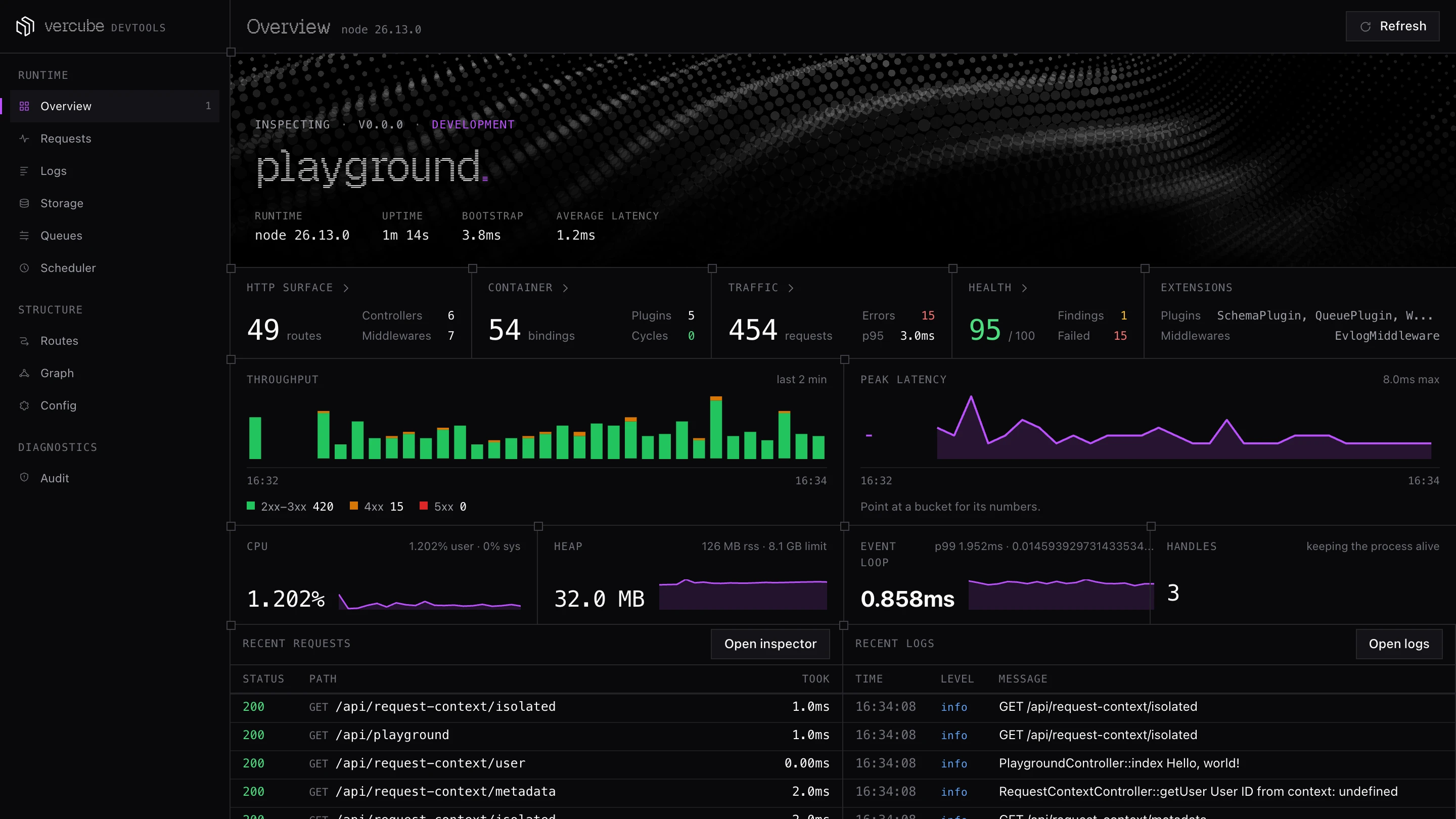
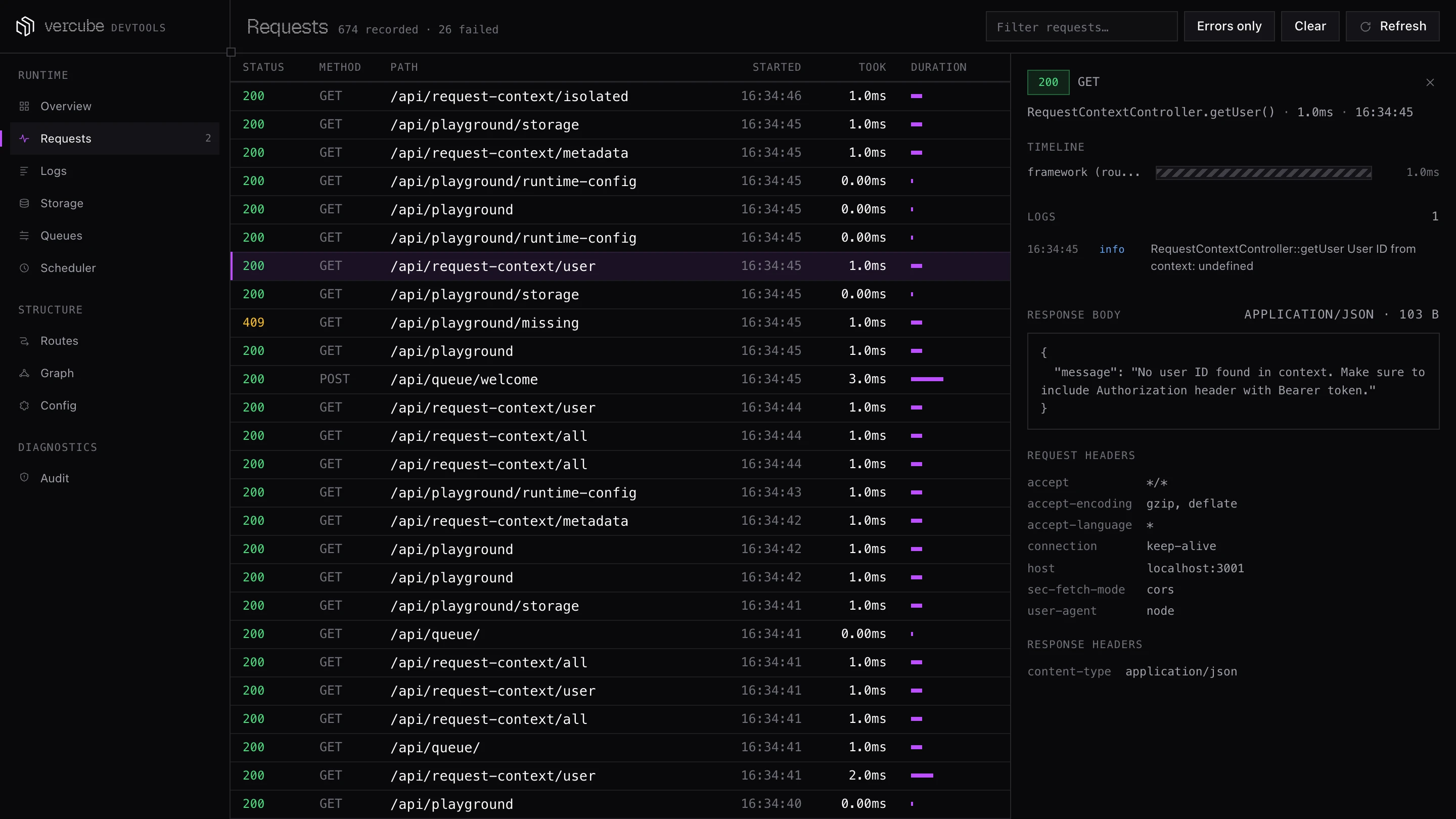
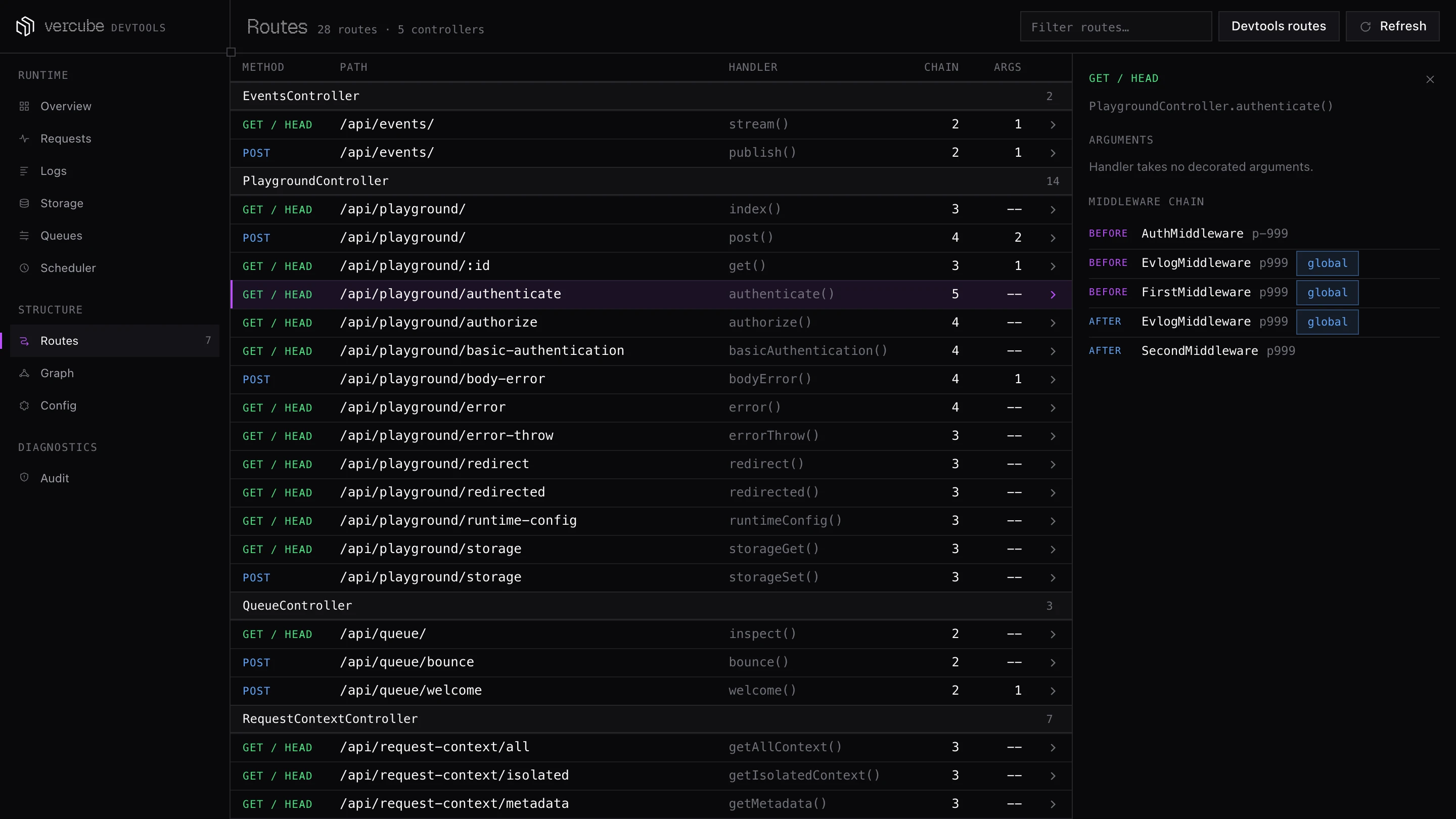
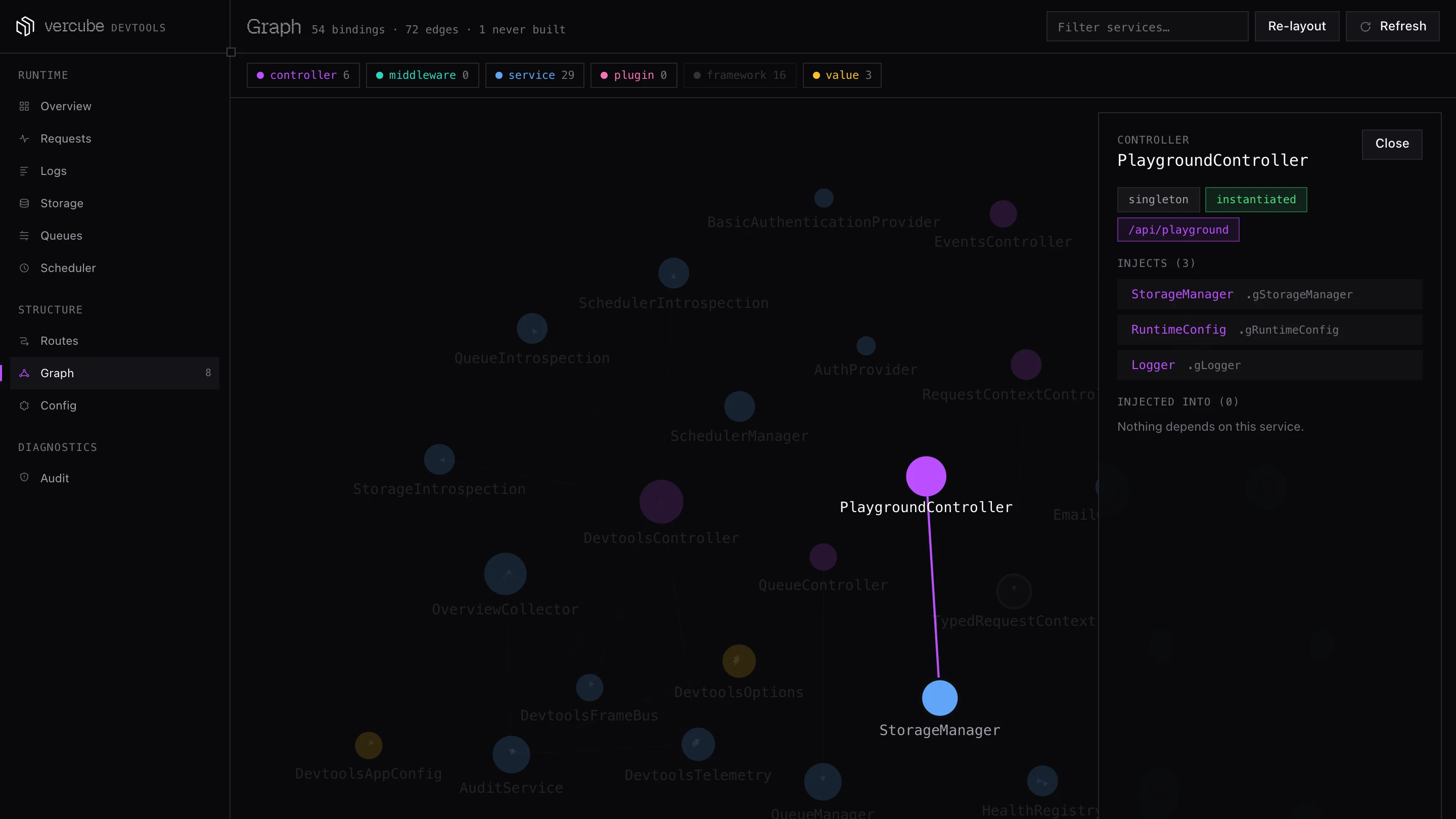
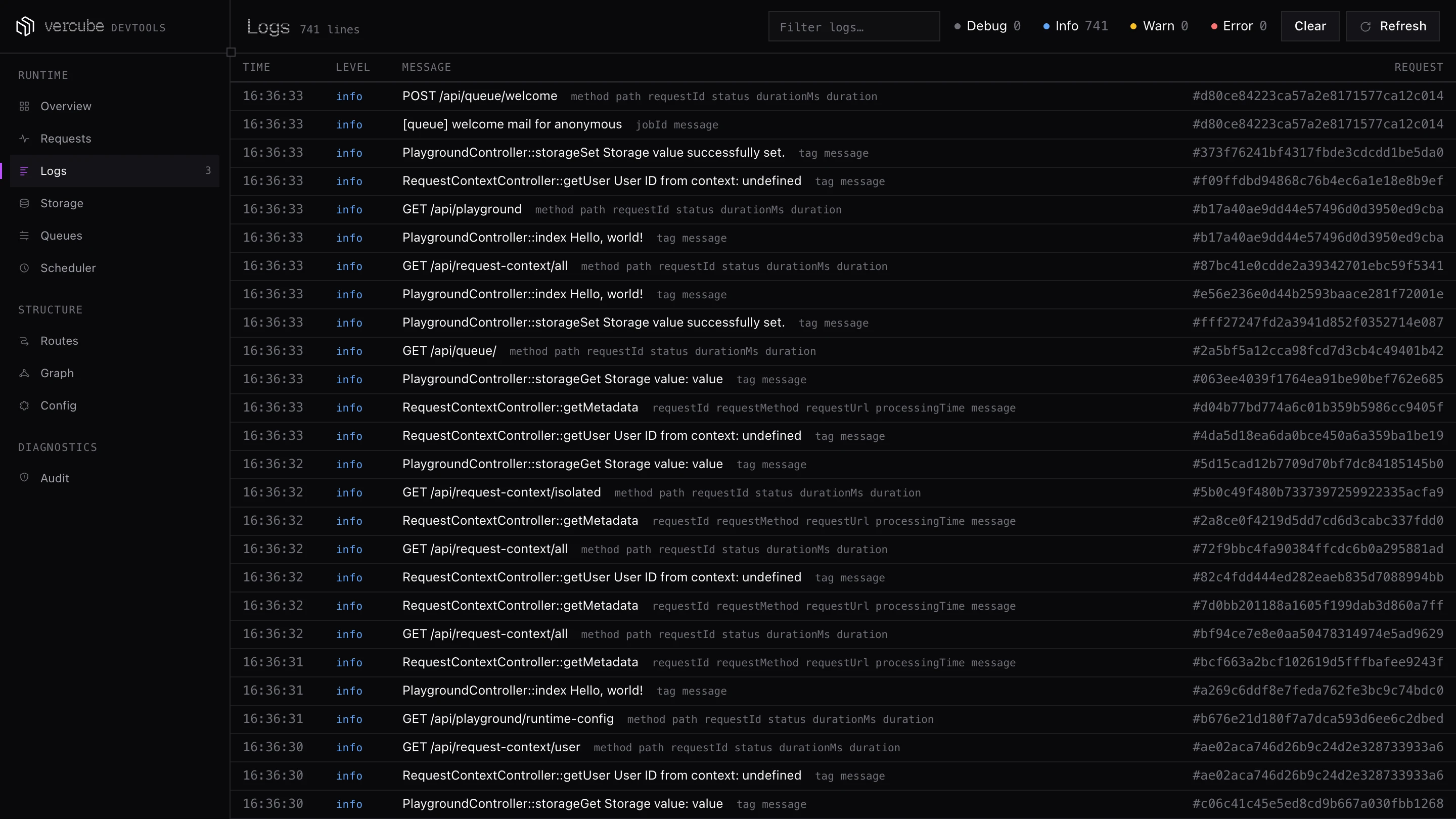
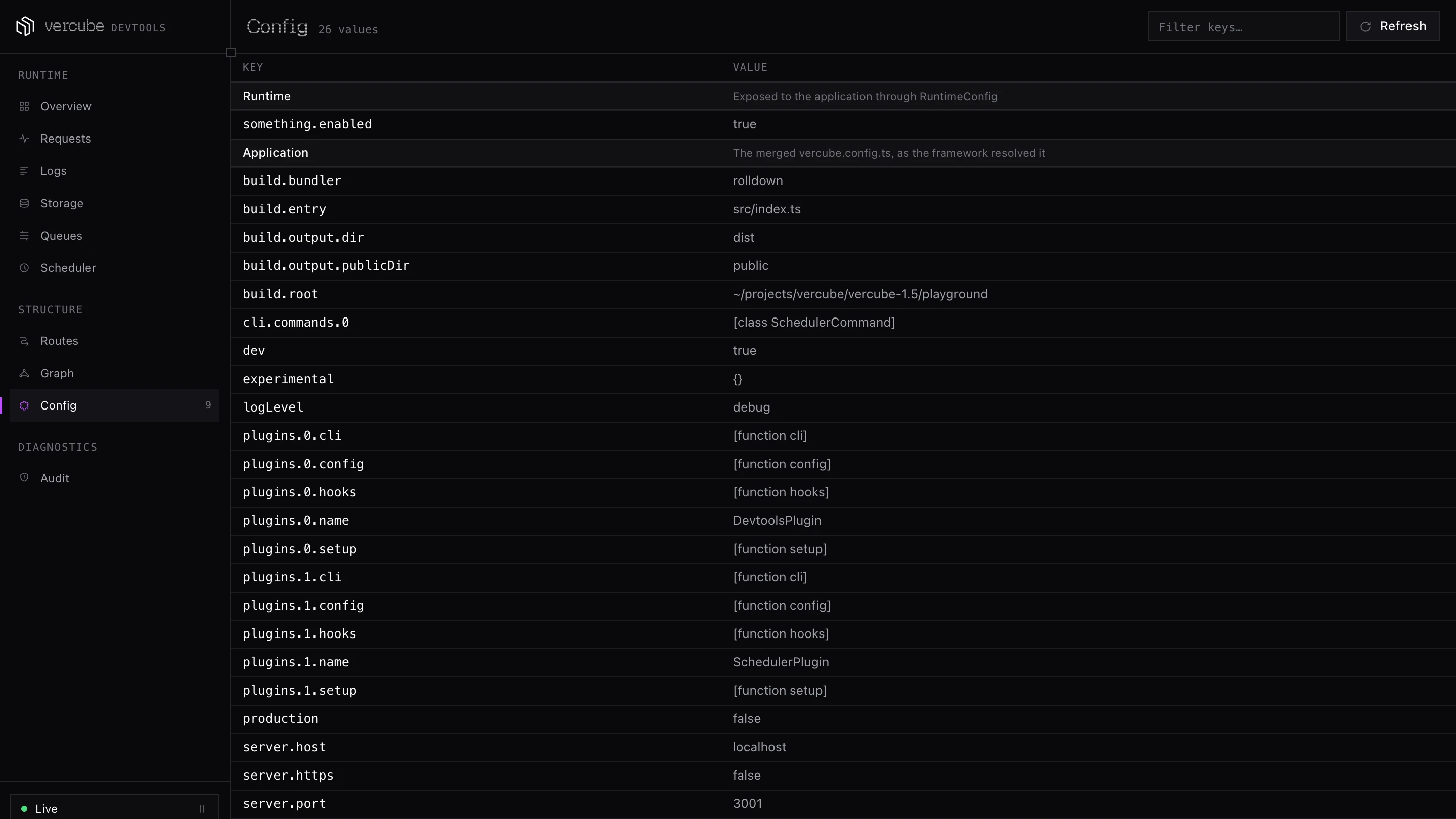
One page served by your own app: the container, the route table, every request as a waterfall, logs, config and an audit. No outbound traffic, no second process.
05 Performance
The speed of a router,
with a container on.
Same 112-route table, same machine, one run of the open benchmark suite. Node 24, 500 connections, 10 seconds per route, September 2026.
Run the suite yourself →Requests per second · GET /
×
NestJS throughput on plain text (99,030 vs 39,833)
×
NestJS throughput on a JSON body (86,259 vs 31,224)
%
more than Fastify on a JSON body (86,259 vs 66,571)
06 Modules
Add what you need,
when you need it.
Every module is a package with a recipe: vercube add queue installs it, registers the plugin and writes a working example into your project.
- Validation & OpenAPIStandard Schema on @Body and @Query, documented at /_schema/docs.
- Auth@Auth() on a route or a controller, with your own provider behind it.
- Typed clientfetch typed by your controllers, about 1.5 kB. A changed handler breaks the build, not prod.
- QueuesPublish and consume on BullMQ, RabbitMQ, Kafka, or in memory while you develop.
- SchedulerInterval and cron jobs, with memory, Redis or Postgres keeping the schedule.
- WebSocketsGateways on the same server, written with the same decorators.
- Cache@Cache({ maxAge }) on a route, over any storage mount.
- StorageOne API over memory and S3 mounts, swappable per environment.
- TelemetryOpenTelemetry traces, metrics and logs, exported over OTLP.
- LoggerStructured logs through one service, with drains you choose.
- ServerlessAdapters for AWS Lambda and Azure Functions around the same app.
- TestingBoot the app in a test, call routes, mock what the container gives out.
Free and MIT licensed.
Built in the open, shaped by the people who use it.
Start with one command, then read the guide.
$ pnpm create vercubeGet started →